Learning how to change garage door remote code can help homeowners restore a remote, replace an old transmitter, or improve control over who can access a garage. Modern garage door openers generally use electronic programming rather than a simple fixed code, so changing or reprogramming a remote usually involves the opener’s programming or LEARN button.
The exact process varies by garage door opener, remote, and security technology. However, the basic principles are similar across many systems. This guide explains how garage door remote coding works, when to use a code reset, how to reprogram a garage code, and what to check if a newly programmed remote does not operate the door.
How to Change Garage Door Remote Code
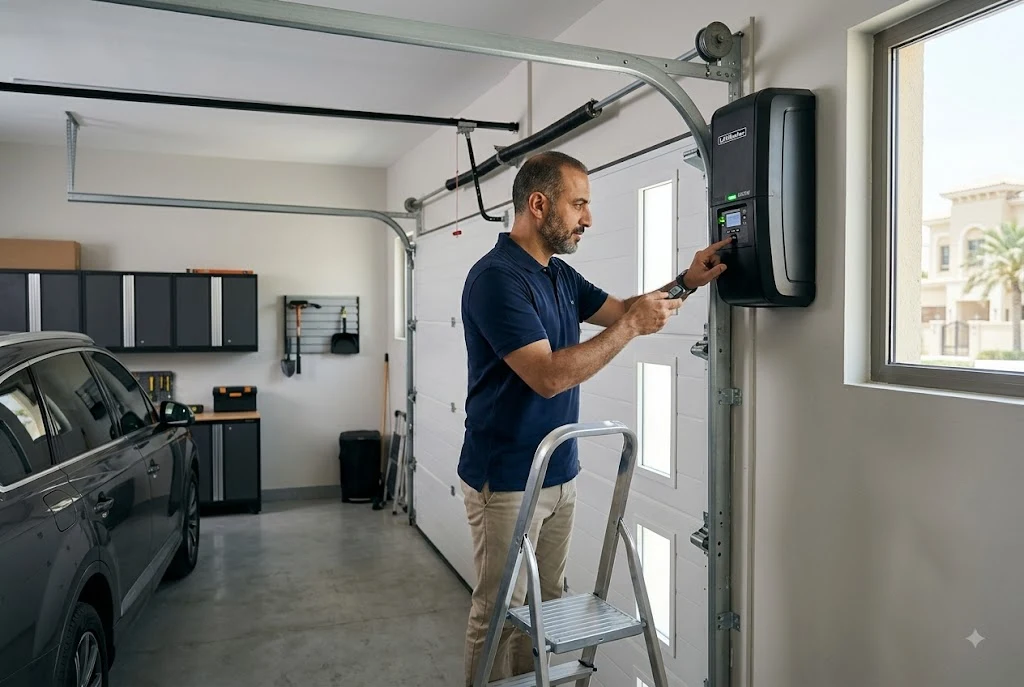
The first step in learning how to change garage door remote code is identifying the opener and remote you have. Look for the opener’s model number and locate its programming or LEARN button. On many openers, the button is positioned underneath the light cover or near the antenna.
For compatible LiftMaster systems, the manufacturer recommends locating the LEARN button and checking its color when determining remote compatibility. Different button colors can correspond to different remote technologies, so identifying the opener before purchasing or programming a remote is important.
Once you know the opener and remote are compatible, the general process is:
- Locate the garage door opener’s LEARN or PROGRAM button.
- Press and release the button to activate programming mode.
- Press and hold the desired button on the compatible remote.
- Watch for the opener light to flash or listen for the programming confirmation.
- Test the remote from a normal operating distance.
These steps are common on many modern LiftMaster systems, although the exact sequence can differ by model. Always use the instructions for your particular opener when they are available.
What Is a Garage Door Code Opener?
A garage door code opener is commonly used to describe an opener system that relies on an electronic code or security protocol to recognize an authorized remote. Older systems may use fixed-code technology, while newer systems can use rolling or encrypted codes.
This distinction matters when you are coding a garage door remote. A remote designed for one security technology may not be compatible with an opener using another system.
Modern LiftMaster remotes, for example, can use different technologies depending on the model and opener. Some current remotes support Security+ systems, while compatibility can also depend on the LEARN button color and opener generation.
How to Code Garage Door Remote Correctly
Coding garage door remote procedures normally involve putting the opener into learn mode and transmitting the remote’s signal. The opener then stores the remote as an authorized device.
Before starting, make sure the remote has a working battery. Stand where you can safely reach the opener’s programming button, and keep the garage door area clear while testing the system.
For a compatible LiftMaster opener, a typical programming sequence begins by pressing and releasing the LEARN button. The desired remote button is then pressed and held until the opener provides its programming confirmation. LiftMaster documentation for compatible systems describes light flashes or audible clicks as possible confirmation signals.
If the opener does not respond, do not repeatedly press buttons at random. The opener may have exited programming mode, the remote may be incompatible, or the procedure for your model may be different.
How to Code Garage Door Remote When Replacing an Old Remote
If you have purchased a replacement remote, you normally need to program the new transmitter rather than change the entire garage door opener. Start by checking the opener’s compatibility information.
For LiftMaster products, the manufacturer’s replacement remote guidance recommends locating the opener’s LEARN button and using the compatibility chart to identify an appropriate remote. The number of buttons on a replacement remote can also determine how many compatible openers, gates, or accessories it can control.
After confirming compatibility, follow the programming instructions supplied with the remote. Avoid assuming that an older remote and a newer remote use identical programming procedures.
If you are troubleshooting a LiftMaster remote that has suddenly stopped responding, you can also review our guide to LiftMaster garage door remote troubleshooting before purchasing a replacement.
How to Reprogram Garage Code After a Remote Change
Knowing how to reprogram garage code becomes particularly useful when you have lost a remote, purchased a replacement, or want to remove access from an old transmitter.
In many modern garage door systems, you do not manually type a new code into the handheld remote. Instead, the opener learns the remote’s authorized signal through its programming function.
This means reprogramming a garage code can involve adding a new remote, deleting existing remote codes, or clearing the opener’s memory and starting again. The correct option depends on why you need to change the code.
If an old remote has been lost or stolen, simply adding a new remote may not remove the old transmitter’s access. In that situation, check whether your opener provides an option to erase stored remote controls and then program the remotes that you still use.
Garage Remote Code Reset: When Should You Use It?
A garage remote code reset is different from simply programming an additional remote. A reset may remove previously stored devices, depending on the opener model and the reset procedure used.
This can be useful when you want to remove old remotes from the opener’s memory. It can also be appropriate when programming has become difficult and the manufacturer specifically recommends clearing stored codes before starting again.
However, resetting the opener can have consequences. Some systems erase all stored remote controls and keyless-entry codes when the appropriate memory-clearing procedure is performed. You may then have to program every remote and keypad you still want to use.
For this reason, do not press and hold the LEARN button simply because you want to program one new remote. On some LiftMaster systems, holding the button for several seconds can erase stored remote and keyless-entry codes.
Garage Opener Code Change vs. Remote Reprogramming
These terms are often used interchangeably, but they can describe different tasks.
A garage opener code change may refer to changing the access information stored by the opener or updating a keyless-entry PIN. Remote reprogramming, on the other hand, generally means teaching the opener to recognize a particular handheld remote.
Understanding the difference can prevent unnecessary resets. If you only bought a new compatible remote, you may only need to add that remote to the opener. If you are removing access from old devices, a memory-clearing procedure may be more appropriate.
How to Change a Garage Door Remote Code for Better Access Control
If you are changing the code because someone should no longer have garage access, first determine which devices are currently programmed. This can include handheld remotes, wireless keypads, vehicle-integrated controls, and compatible smart-garage accessories.
Depending on the opener, clearing the stored remote memory may remove several types of access at once. Afterward, program only the devices that should continue to work.
It is also a good idea to keep replacement remotes secure. A remote that is left inside an unlocked vehicle can potentially provide garage access to someone who gains access to that vehicle.
What If the New Garage Door Remote Does Not Work?
If the new remote does not operate the door after programming, start by checking compatibility. This is especially important when the opener and remote are different generations.
Next, check the remote battery and repeat the programming procedure carefully. Make sure the opener actually enters programming mode and that you complete the remote setup before the programming window expires.
If another programmed remote works but the new remote does not, the new remote or its compatibility is worth investigating. If no remote works, the problem could involve the opener, power supply, receiver, or another part of the garage door system.
You can also review the manufacturer’s compatibility information before buying another transmitter. LiftMaster’s official resources explain how the opener’s LEARN button can be used to identify compatible remotes.
Should You Change the Garage Door Remote Code Yourself?
For straightforward remote programming, many homeowners can follow the manufacturer’s instructions themselves. The process usually involves electronic programming rather than adjustment of the garage door’s mechanical components.
However, be cautious around the opener and moving garage door. Do not attempt to repair springs, cables, tracks, or other high-tension components simply because the remote is not working.
If the door behaves unexpectedly, the opener makes unusual noises, safety sensors are malfunctioning, or the door will not move correctly, the issue may be unrelated to the remote code. Professional inspection can help identify the actual fault.
Final Thoughts on Garage Door Remote Codes
Understanding how to change garage door remote code makes it easier to add a new transmitter, replace an old remote, or remove outdated access. The key is to identify the opener model, confirm remote compatibility, and follow the correct programming procedure rather than relying on a generic sequence.
A garage remote code reset can be useful when old access needs to be removed, but clearing memory may require all active remotes and keypads to be programmed again. Therefore, use a reset only when it matches your specific goal.
For homeowners building a broader understanding of garage remote systems, the learn button on a garage door opener is an important next topic because it explains the programming point used by many compatible opener systems. If you use a different brand, our upcoming guide to Mastercraft garage door opener remotes will provide additional brand-specific guidance.
