
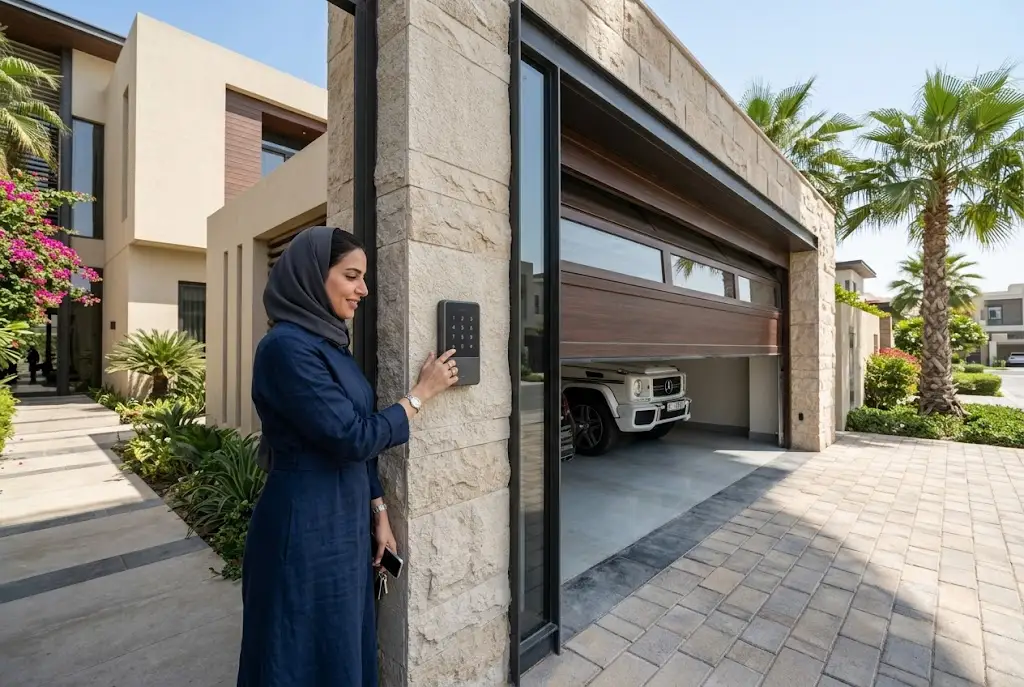
A wireless garage door keypad provides a convenient way to access your garage without carrying a remote control or physical key. Installed outside your garage, the keypad allows authorized users to enter a personal PIN and operate the garage door safely. Whether you’re upgrading your garage access system or looking for a convenient solution for family members, a wireless keypad offers enhanced flexibility while maintaining strong security.
Modern wireless keypads are compatible with many automatic garage door openers and feature encrypted communication, weather-resistant construction, and easy programming, making them an excellent addition to residential properties.
What Is a Wireless Garage Door Keypad?
A wireless garage door keypad is a battery-powered device mounted outside the garage that communicates wirelessly with the garage door opener. Instead of pressing a handheld remote, users simply enter a secure PIN code to open or close the garage door.
Because it operates wirelessly, installation is generally quick and does not require running electrical wiring through exterior walls.
Benefits of a Wireless Garage Door Keypad
Installing a wireless keypad offers several advantages for homeowners.
- Convenient keyless entry.
- No need to carry a remote control.
- Easy access for family members.
- Temporary access codes for visitors or contractors.
- Weather-resistant outdoor operation.
- Compatible with many modern garage door openers.
How a Wireless Garage Door Keypad Works
When the correct PIN is entered, the keypad sends an encrypted wireless signal to the garage door opener. If the code is verified, the opener activates the motor to open or close the garage door.
Many systems use rolling-code technology that generates a different encrypted signal after every use, helping protect against unauthorized access.
Choosing the Right Wireless Garage Keypad
Before purchasing a keypad, consider the following factors.
Compatibility
Verify that the keypad is compatible with your garage door opener’s brand, model, frequency, and security technology.
Security Features
Choose models that support rolling-code encryption, secure PIN programming, and lockout protection after multiple incorrect attempts.
Weather Resistance
Outdoor keypads should be designed to withstand heat, humidity, dust, and rain, especially in regions with demanding weather conditions.
Battery Life
Long-lasting batteries reduce maintenance while ensuring reliable operation throughout the year.
How to Install a Wireless Garage Door Keypad
Most homeowners can install a wireless keypad within a short time.
- Select an accessible location outside the garage.
- Secure the keypad using the supplied mounting hardware.
- Insert the recommended batteries.
- Program the keypad using the opener’s Learn button.
- Create a secure personal PIN.
- Test the keypad several times.
Always follow the manufacturer’s installation instructions for your specific model.
Programming Your Smart Garage Keypad
A smart garage keypad is usually paired with the garage door opener by placing the opener into programming mode and entering a new PIN on the keypad.
Many newer systems also support smartphone-assisted setup, simplifying the programming process.
Common Wireless Garage Access Control Problems
Keypad Does Not Respond
- Dead batteries.
- Incorrect PIN.
- Lost programming.
- Receiver issues.
- Signal interference.
Garage Door Doesn’t Open
If the keypad lights up but the door does not move, verify that the opener has power, the keypad is correctly programmed, and the opener is functioning properly.
Intermittent Operation
Weak batteries or environmental interference may occasionally interrupt communication between the keypad and the opener.
Maintaining Your Wireless Garage Access Control System
Routine maintenance helps ensure dependable operation.
- Replace batteries before they become fully depleted.
- Clean the keypad regularly.
- Inspect the mounting hardware.
- Update access codes periodically.
- Protect the keypad from unnecessary physical damage.
Should You Choose a Keypad or a Remote?
Both options provide convenient garage access, but each serves different needs.
A handheld remote is ideal for drivers entering the garage from their vehicle, while a wireless keypad is perfect for family members, guests, or anyone who prefers keyless entry. Many homeowners use both systems together for maximum convenience.
If you still rely on traditional handheld transmitters, our guide on garage gate remote control explains how to choose and maintain the right remote.
Battery Maintenance Matters
Most keypad problems are related to low battery power. Replacing batteries before they fail helps maintain consistent wireless communication and dependable operation. Learn more in our guide on garage door remote battery replacement.
When Professional Installation Is Recommended
Although many wireless keypads are easy to install, professional assistance may be beneficial if your opener requires compatibility verification, receiver replacement, or system reconfiguration. Professional installation also ensures safe programming and reliable performance.
Final Thoughts
A wireless garage door keypad offers secure, convenient, and flexible garage access without depending on a handheld remote. With proper installation, regular battery maintenance, and secure PIN management, homeowners can enjoy reliable keyless entry for years. Whether you’re upgrading an existing garage system or adding another access option, a wireless keypad is a practical investment for modern homes.
For additional information about garage door safety and automated access systems, visit the Door & Access Systems Manufacturers Association (DASMA), a trusted resource for homeowners and industry professionals.
