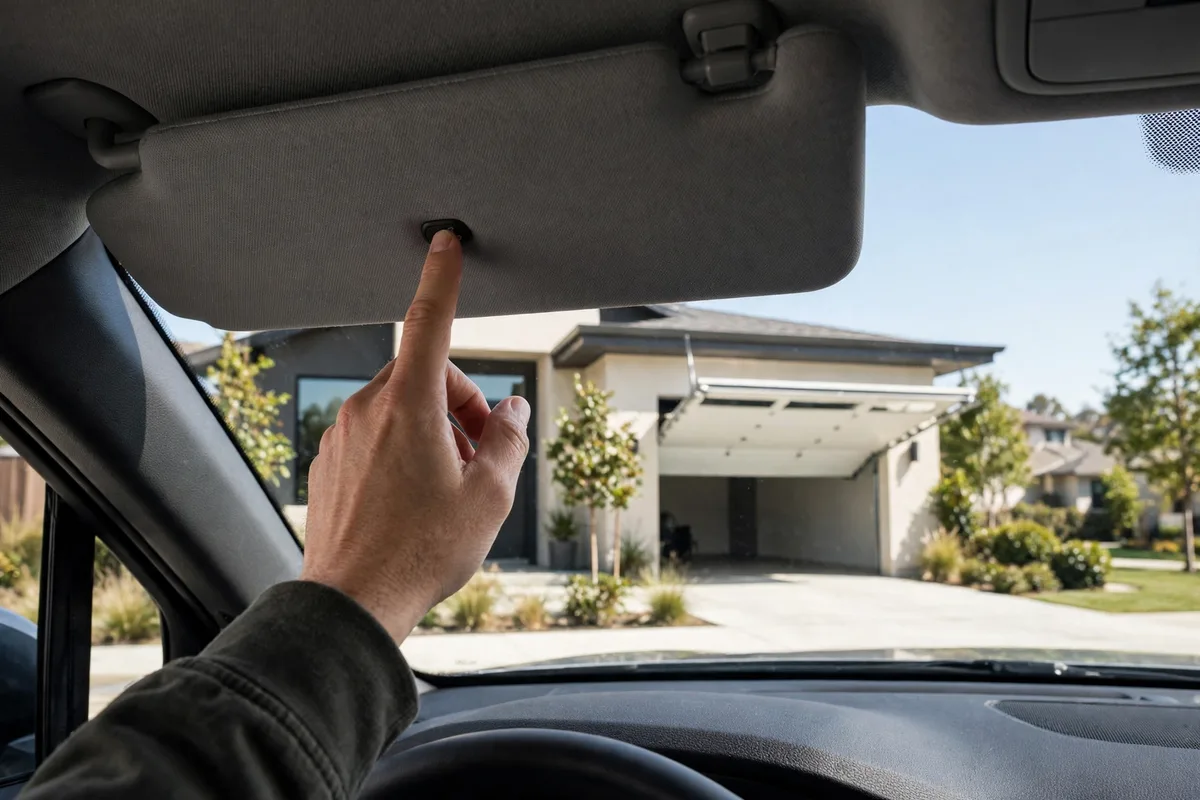
Most newer cars, trucks and SUVs have three small buttons on the sun visor, mirror or overhead console that seem to do nothing — until you pair them with your garage door opener. Garage door remote programming to car buttons, usually through the HomeLink or Car2U systems, lets you open your garage without the clip-on remote that always seems to slide off the visor at the worst moment. The pairing process takes about five minutes, works with the vast majority of openers sold in the last three decades, and can be repeated for up to three different doors or gates. This guide explains compatibility, the exact pairing steps, and what to do when the car refuses to learn the signal.
How Garage Door Remote Programming to Car Systems Works
Built-in car buttons are universal transmitters. During setup, the car copies the radio signal from your handheld remote, stores it, and afterwards broadcasts that same signal when you press the button. Two systems dominate: HomeLink, fitted by most automakers, and Lear Car2U, found in some Ford, GM and Chrysler vehicles. Both work the same way from the driver’s seat.
The complication is the opener, not the car. Openers made before 2011 mostly use fixed-code or early rolling-code signals that cars learn easily. Newer openers with Security+ 2.0 and similar systems change their code with every use and may need a compatibility bridge, plus a final “learn” step at the opener motor itself. If you have never paired a standard remote before, our walkthrough on how to program a garage door remote covers the handheld side of the process, which is the best place to start.
Before You Program: Compatibility and Preparation
Park the car just outside the garage with the engine running or the ignition in accessory mode, because many vehicles cut power to the buttons otherwise. Have your working handheld remote in the car with a fresh battery — a weak remote produces a weak training signal and is the number one cause of failed pairing. If your remote’s battery is old, follow the steps in our guide to changing the battery in a garage door remote first.
Check that the handheld remote actually opens the door. The car can only copy a signal that works. Also clear any previous programming from the car buttons if you bought the vehicle used: on most HomeLink systems, holding the two outer buttons for about twenty seconds until the indicator light flashes clears the memory. Finally, confirm your opener brand and approximate age. Chamberlain, LiftMaster and Genie openers pair readily; very old openers with dip switches pair too, but the steps differ slightly, as the brand-specific notes in our LiftMaster remote programming guide illustrate.
Step-by-Step: Pairing the Car Button to Your Remote
Hold the handheld remote one to three inches from the car button you want to program. Press and hold both the remote button and the car button at the same time. Keep holding them until the car’s indicator light changes from a slow blink to a rapid flash or a solid light — this can take up to thirty seconds, and letting go early is the most common mistake. A rapid flash means the car has learned the frequency.
Now test it: press the car button. If the door moves, you are done. If the light flashes but the door stays shut, your opener uses rolling codes and needs one more step. Go to the motor unit in the garage, press its learn button once — our explainer on the learn button on a garage door opener shows where to find it on common models — then return to the car within thirty seconds and press the programmed button two or three times, holding it for two seconds each time. The opener should accept the car as a new remote. Repeat the whole process for each additional button if you have a second door, a gate or a vacation home.
When Pairing Fails: Troubleshooting
If the car’s light never flashes rapidly, the remote signal is not reaching it. Move the remote closer, angle it differently, and replace its battery. Some remotes transmit weakly through the windshield area, so try holding the remote under the console or near the rear-view mirror instead. If the car learns the signal but the opener ignores it, the rolling-code learn step at the motor was probably missed or timed out — repeat it with a helper, one person at the motor and one in the car.
Persistent problems with a Security+ 2.0 opener usually mean you need a HomeLink compatibility bridge, a small repeater that translates between the car and the opener; they are sold by the opener brands themselves. And if you ever sell the car, clear the buttons using the same two-outer-button reset so the next owner cannot open your garage — the same logic applies when you change a garage door remote code after losing a handheld remote. Treat the car button exactly like a spare remote, because functionally that is what it is.
Car Buttons vs Handheld and Smart Remotes
The built-in button’s big advantages are that it cannot be lost, needs no batteries and is always where you left it — in the car. Its limits are equally clear: it only works with that vehicle, and anyone with access to the car has access to your garage, which matters if the car is parked outside overnight. Handheld remotes remain useful for a second car, a motorcycle or a family member who drives something older.
App-based control is the third option: a smart controller such as the one described in our myQ garage door remote guide adds phone control, alerts and delivery access on top of any button system. Many households end up using all three — car buttons for daily driving, a handheld as backup, and an app for peace of mind. Whichever combination you choose, test every paired device after any opener repair or code change, and remove devices you no longer use from the opener’s memory.
Keeping Your Car-Programmed Access Secure
A paired car button is a key to your home, so manage it like one. Clear the programming before selling or returning a vehicle, and after any break-in where the car was accessed. If your opener supports it, review its memory occasionally and erase transmitters you do not recognise, following the same reset path used when a LiftMaster remote is not working and needs to be re-added from scratch.
Done once and done properly, garage door remote programming to car buttons takes less time than a coffee stop and removes a small daily friction for good. Keep the handheld remote stored safely at home as your backup, and enjoy pressing a button that the car maker built in for exactly this job.
