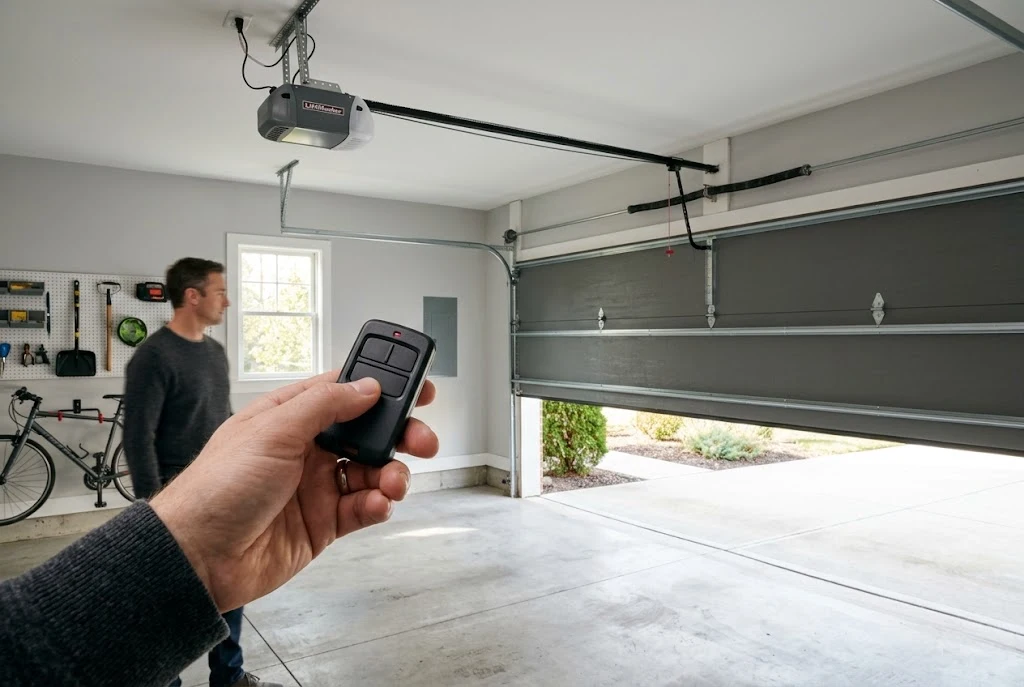
A garage door remote manual helps you understand how to pair a remote with your opener, program compatible buttons, replace batteries, and resolve common connection problems. Whether you use a Chamberlain, Craftsman, Linear, Clicker, or Mastercraft device, the correct instructions depend on the remote model and the garage door opener it controls. Before programming a new remote, identify both devices to make sure they are compatible.
This guide explains how to find the correct garage door remote manual, follow common programming procedures, troubleshoot an unresponsive remote, and determine when you may need a replacement. It also covers important safety precautions for residential and commercial garage door systems.
Why You Need the Correct Garage Door Remote Manual
Garage door remotes may look similar, but their programming procedures can differ significantly. Some use a learn button on the opener motor, while others require a specific button sequence or a compatible receiver. Wireless technology, security features, and manufacturing dates can also affect compatibility.
Using the wrong instructions may prevent the remote from pairing successfully. In some cases, following an unfamiliar reset procedure could erase existing remote settings or disconnect other access devices.
Before you begin, locate the model number on the back of the remote, inside its battery compartment, or on the opener’s identification label. Record the brand and model so you can consult the appropriate manual instead of relying on generic instructions.
How to Find Your Garage Door Remote Manual
The easiest way to find the correct manual is to start with the manufacturer’s official support website. Search using the exact model number rather than the brand name alone. If you cannot find the model number on the remote, check the original packaging or purchase documentation.
Chamberlain Garage Door Remote Manual
A Chamberlain garage door remote manual typically explains how to identify compatible openers, program a remote, replace its battery, and resolve pairing issues. However, the exact procedure varies by model and opener generation.
For reliable instructions, consult Chamberlain’s official website and locate the support information for your device. If you are looking for Chamberlain garage door remote instructions, confirm whether your remote uses a learn-button procedure or another programming method before proceeding.
If your existing remote is damaged or cannot be repaired, you may also need a compatible Chamberlain garage door remote replacement. Check compatibility before purchasing a new device.
Craftsman Garage Door Remote Manual
A Craftsman garage door remote manual can help you identify the remote’s programming method, battery type, and compatible opener models. Craftsman products have been manufactured across different generations, so two remotes bearing the same brand may not use identical programming procedures.
Check the model number and the opener’s manufacturer information before following a programming guide. If the remote has previously worked but suddenly stops responding, test its battery and inspect the buttons before attempting to reset the system.
Linear Garage Door Remote Manual
A Linear garage door remote manual provides model-specific guidance for pairing transmitters with compatible receivers. Some Linear systems use receiver configurations that differ from those found in common residential openers.
Identify the receiver model as well as the transmitter model. This is particularly important when a remote is being added to an older opener or a system that has been upgraded with a separate radio receiver.
Clicker Garage Door Remote Manual
Clicker remotes are designed to work with selected garage door opener systems, but compatibility depends on the particular remote and opener. A Clicker garage door remote manual may include brand-selection steps, switch settings, or learn-button programming instructions.
Follow the instructions for your exact Clicker model. Do not assume that a procedure used for one universal remote will work with another, even if both devices are sold as universal garage door remotes.
Mastercraft Garage Door Opener Manual PDF
If you need a Mastercraft garage door opener manual PDF, search using the complete opener model number and the manufacturer’s name shown on the identification label. A manual for the opener itself may contain receiver and remote-programming information that is not included in a separate transmitter guide.
Prefer an official manufacturer or authorized support source when downloading a PDF. Check that the document matches your equipment before following its wiring, reset, or programming instructions. If the original manual is unavailable, the model number can help a qualified technician identify the correct documentation.
How to Program a Garage Door Remote
Although programming methods vary, many residential garage door openers use a learn-button procedure. The following steps provide a general overview, not a replacement for your specific garage door remote manual.
- Identify the equipment: Check the remote and opener model numbers and confirm that they are compatible.
- Check the battery: Install a fresh battery of the correct type if the remote’s power is uncertain.
- Locate the programming control: Consult the opener manual to find the learn button or the relevant receiver programming control.
- Follow the model-specific instructions: Activate programming mode and press the designated remote button only as directed by the manufacturer.
- Wait for confirmation: Look for the indicator light or other confirmation described in the manual.
- Test the remote: From a safe position with the doorway clear, check whether the opener responds correctly.
Keep people, pets, vehicles, and other objects clear of the garage door while testing. Never stand beneath a moving door or bypass its safety mechanisms to complete programming.
If the remote does not pair, stop and verify the model numbers, programming sequence, battery condition, and receiver compatibility. Repeating random button combinations is unlikely to solve a compatibility problem and may change existing settings.
How to Troubleshoot a Garage Door Remote
A remote that stops working does not necessarily need replacing. Several common problems can be checked without dismantling the opener or interfering with its electrical components.
Remote Does Not Respond
Start by replacing a weak battery and checking that it is installed with the correct polarity. Inspect the battery contacts for visible corrosion and make sure the buttons are not stuck. If the remote still fails, test a second compatible remote if one is available.
If another remote works, the problem may be limited to the original transmitter. If neither remote works, investigate the opener’s power supply, receiver, or other system components according to the manufacturer’s troubleshooting guidance.
Remote Works Only at a Short Distance
Reduced operating range may result from a weak battery, radio interference, a damaged antenna, or a receiver problem. Replace the battery first and test the remote from several reasonable positions outside the door’s operating path.
Avoid modifying the opener antenna or installing unapproved signal boosters. If the problem persists, consult the manual or arrange an inspection by a qualified garage door technician.
Garage Door Opener Does Not Respond to the Remote
Check whether the opener has electrical power and whether its wall control operates normally. If the wall control works but the remote does not, the issue may involve the transmitter, programming, battery, or radio receiver.
For additional troubleshooting, read our guides on garage door remote problems, a garage door opener that is not working, and a Chamberlain opener that does not respond to its remote. These issues can have different causes, so use the guide that best matches your symptoms.
Remote Stops Working After Battery Replacement
Some remotes resume normal operation immediately after a battery change, while others may require additional checks. Confirm that the replacement battery is the correct type and that its contacts are clean and properly aligned.
Do not reset the opener automatically. First, check the instructions for your remote model to determine whether reprogramming is actually necessary.
Garage Door Remote Compatibility and Replacement
When buying a replacement remote, matching the brand name alone is not enough. The new device must support the opener’s radio frequency, security protocol, receiver configuration, and other relevant specifications.
Some universal remotes work with multiple opener brands, while others support only selected models. Older systems may have different compatibility requirements from newer openers with rolling-code security features.
Before purchasing, confirm the following details:
- The garage door opener’s make and model.
- The original remote’s model number, if available.
- The supported radio frequency and security technology.
- Whether the opener has a built-in receiver or an external receiver.
- The manufacturer’s compatibility list for the replacement device.
If you are comparing options, our garage door opener remote compatibility guide can help you understand the checks involved. You can also explore universal garage door remote compatibility before choosing a multi-brand transmitter.
When a remote is lost or stolen, consult the opener’s manual for the correct procedure to remove unauthorized remotes. Depending on the system, this may involve clearing stored remote credentials and programming only the devices you want to retain. Follow the manufacturer’s security instructions carefully.
Garage Door Remotes for Commercial and Industrial Systems
Commercial facilities may use garage door remotes to control warehouse doors, loading areas, vehicle entrances, and other access points. These systems can have different operational and security requirements from residential garage doors.
Before programming or replacing a commercial transmitter, verify the receiver model, access-control arrangement, and permissions required by the facility manager. A remote designed for a residential opener should not be assumed to work with an industrial door controller.
For facilities evaluating different equipment, our guide to commercial garage door remotes can provide a useful starting point. Businesses should also consider how lost transmitters are disabled, who can authorize new devices, and how access is managed across multiple users.
Garage Door Remote Maintenance and Safety
Regular maintenance can help reduce avoidable remote-control problems. Keep the transmitter dry, avoid dropping it, and use the battery type specified by the manufacturer. Store spare remotes securely and keep model information available for future replacement.
Test the garage door’s safety features according to the manufacturer’s instructions. A functioning remote does not guarantee that the door’s reversing system, sensors, springs, cables, or other mechanical parts are safe.
Never attempt to repair a broken spring, adjust high-tension cables, or dismantle a powered opener simply because the remote is not working. These components can cause serious injuries. Arrange professional service if the door is off track, unusually heavy, visibly damaged, or operating unpredictably.
For longer-term care, follow an appropriate garage door maintenance routine and review our garage door security guide to understand how access controls contribute to overall protection.
Frequently Asked Questions
Where can I find a garage door remote manual?
Start with the manufacturer’s official support website and search using the remote’s exact model number. If you cannot find it, check the opener’s identification label and look for the corresponding manual or receiver documentation.
Are Chamberlain and LiftMaster remotes interchangeable?
Some Chamberlain and LiftMaster remotes are compatible with selected openers from both brands, but compatibility is not universal. Confirm the remote model, opener generation, and security technology before buying or programming a replacement.
Can I use a universal garage door remote?
Yes, if the universal remote explicitly supports your opener’s brand, model, frequency, and security system. Review the compatibility list and programming instructions before purchasing.
Why does my garage door remote work intermittently?
A weak battery, interference, worn buttons, or a receiver issue may cause intermittent operation. Replace the battery first, check the remote’s condition, and consult the opener manual if the problem continues.
Do I need to reprogram my remote after changing its battery?
Not always. Many remotes retain their programming when the battery is replaced. Follow the instructions for your specific model rather than resetting the opener unnecessarily.
What should I do if my garage door remote is lost?
Check the manufacturer’s procedure for removing stored remotes and securing the opener. If the missing remote could provide unauthorized access, consider disabling it and reprogramming authorized devices as directed by the manual.
Final Thoughts
The right garage door remote manual makes programming, troubleshooting, and replacement more straightforward. Start by identifying your equipment, confirming compatibility, and following the instructions for the exact model. Check simple issues such as batteries before attempting a reset, and use manufacturer-approved procedures whenever security settings or receiver components are involved.
Whether you need Chamberlain garage door remote instructions, a Craftsman garage door remote manual, a Linear transmitter guide, Clicker programming help, or a Mastercraft garage door opener manual PDF, accurate model identification is the most important first step. When the issue involves damaged mechanical parts, electrical components, or an unreliable safety system, consult a qualified professional instead of attempting a risky repair.
