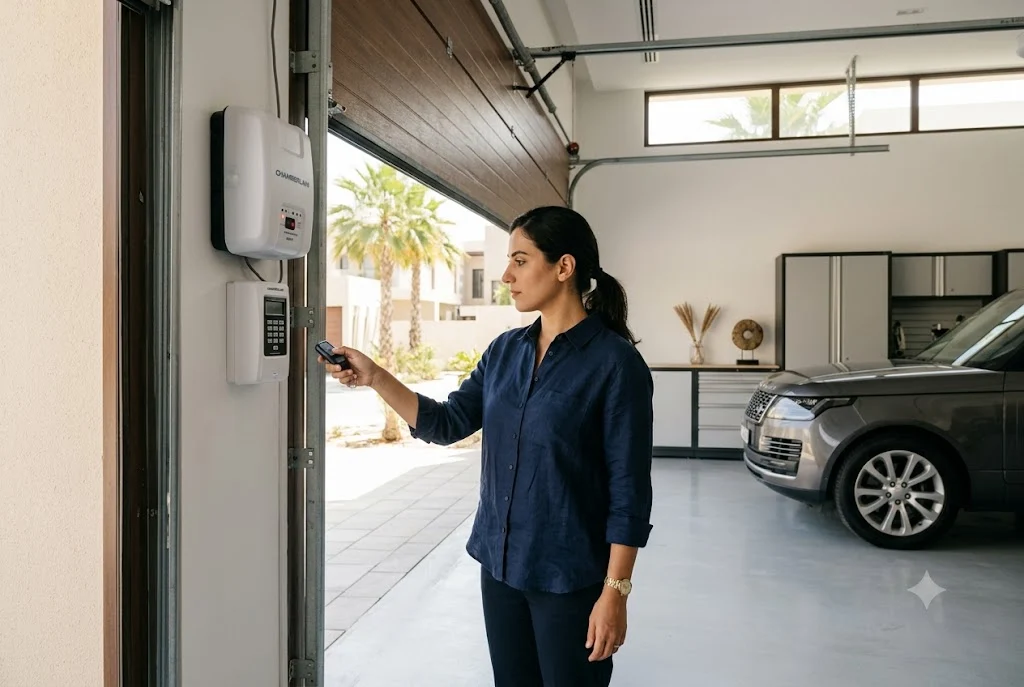
Learning how to program chamberlain garage door remote devices is an essential skill for homeowners who want secure, reliable, and convenient access to their garage. Whether you have purchased a replacement remote, added a new family vehicle, or need to reconnect a remote after a reset, proper programming ensures smooth communication between the remote and the garage door opener.
Chamberlain is one of the most trusted garage door opener manufacturers, offering advanced security features, wireless connectivity, and user-friendly remote systems. Fortunately, most Chamberlain remotes can be programmed in just a few minutes when the correct procedure is followed.
This guide explains Chamberlain remote programming, troubleshooting techniques, reset options, and best practices for long-term reliability.
Understanding Chamberlain Remote Programming
Before exploring how to program a chamberlain garage door remote, it is helpful to understand how the system works.
The remote communicates wirelessly with the garage door opener. During programming, the opener stores the remote’s unique signal so it can recognize future commands.
Most modern Chamberlain systems use rolling code technology, which automatically changes the access code after every use to enhance security.
When You Need to Program a Chamberlain Garage Door Remote
There are several situations where homeowners may need chamberlain garage door remote program procedures.
- Installing a new remote
- Replacing a damaged remote
- Adding a second or third remote
- After clearing opener memory
- Following a power interruption
- Upgrading security settings
In all these cases, the remote must be properly paired with the opener.
Locate the Learn Button on the Chamberlain Opener
The first step in chamberlain garage door opener remote programming is finding the Learn button.
Depending on the model, the Learn button may be located:
- Behind the light cover
- Near the antenna wire
- On the rear panel of the motor unit
- Beside programming indicators
The button color often varies by model generation and security technology.
How to Program Chamberlain Garage Door Opener Remote
The most common method for how to program chamberlain garage door opener remote systems involves using the Learn button.
Step 1: Check the Remote Battery
Install a fresh battery and verify that the remote functions correctly.
Step 2: Activate Learn Mode
Press and release the Learn button on the opener.
Most Chamberlain systems remain in programming mode for approximately 30 seconds.
Step 3: Press the Remote Button
Within the programming window, press the button on the remote that you want to assign.
Step 4: Wait for Confirmation
The opener light may blink or produce an audible click when successful pairing occurs.
Step 5: Test Operation
Press the programmed button again and verify that the garage door responds properly.
This procedure covers the majority of chamberlain garage door opener remote control programming scenarios.
How Do I Program a Chamberlain Garage Door Remote for Multiple Doors?
Many Chamberlain remotes feature multiple programmable buttons.
If you control more than one garage door:
- Assign a separate button to each opener
- Program each button individually
- Test each programmed function
- Label buttons if necessary
This setup allows a single remote to manage multiple garage doors efficiently.
How Do You Program a Chamberlain Garage Door Opener Remote After a Reset?
Sometimes homeowners perform a system reset to remove old remotes or improve security.
After a reset:
- Previously stored remotes are erased
- Keypads may require reprogramming
- Smart devices may need reconnection
- All authorized remotes must be programmed again
Reprogramming follows the same Learn button process used during initial setup.
Programming a Chamberlain Remote Control Garage Door Opener with Smart Features
Many newer Chamberlain openers support smartphone integration and smart-home connectivity.
Depending on the model, program remote garage door opener chamberlain procedures may involve:
- Using a mobile application
- Accessing Wi-Fi settings
- Pairing through a smart hub
- Verifying device registration
Always consult the manufacturer’s documentation for model-specific instructions.
Common Chamberlain Programming Problems
Even when following instructions carefully, programming may occasionally fail.
Weak Battery
A low battery can prevent successful communication.
Programming Timeout
The remote must usually be paired before Learn mode expires.
Memory Capacity Reached
Some openers limit the number of stored remotes.
Signal Interference
Wireless devices may occasionally interfere with programming attempts.
Compatibility Issues
Not every remote model works with every Chamberlain opener.
How to Troubleshoot Chamberlain Remote Programming Issues
If programming chamberlain remote garage door opener procedures are unsuccessful, try these troubleshooting steps:
- Replace the battery
- Repeat the programming process
- Verify opener power supply
- Inspect the antenna wire
- Check remote compatibility
- Remove sources of interference
- Reset and reprogram if needed
These steps resolve many common setup problems.
Related Garage Door Remote Resources
Programming procedures vary across brands and models. Homeowners may also find these guides useful:
- How to Program Garage Door Remote
- Genie Garage Door Opener Remote
- Garage Door Remote Not Working
- How to Program LiftMaster Garage Door Remote
These resources provide additional information about compatibility, troubleshooting, and brand-specific programming methods.
When Should You Replace a Chamberlain Remote?
Although most remote issues can be resolved through troubleshooting, replacement may be necessary if:
- The remote has physical damage
- Buttons no longer function properly
- Internal circuitry has failed
- The remote has been exposed to water
- The model is no longer compatible with modern security systems
Replacing an aging remote can improve reliability and security.
Maintaining Chamberlain Remote Performance
Proper maintenance helps maximize remote lifespan.
- Replace batteries regularly
- Keep the remote clean and dry
- Avoid dropping the device
- Store spare remotes safely
- Test operation periodically
- Remove lost remotes from opener memory
Routine care reduces the risk of unexpected access issues.
Final Thoughts
Understanding how to program chamberlain garage door remote systems allows homeowners to maintain convenient and secure garage access. Whether you are pairing a new remote, reconnecting after a reset, or troubleshooting a setup issue, following the correct programming procedure is the key to reliable operation.
With proper programming, regular maintenance, and occasional troubleshooting, Chamberlain garage door remotes can provide years of dependable service and enhanced home security.
