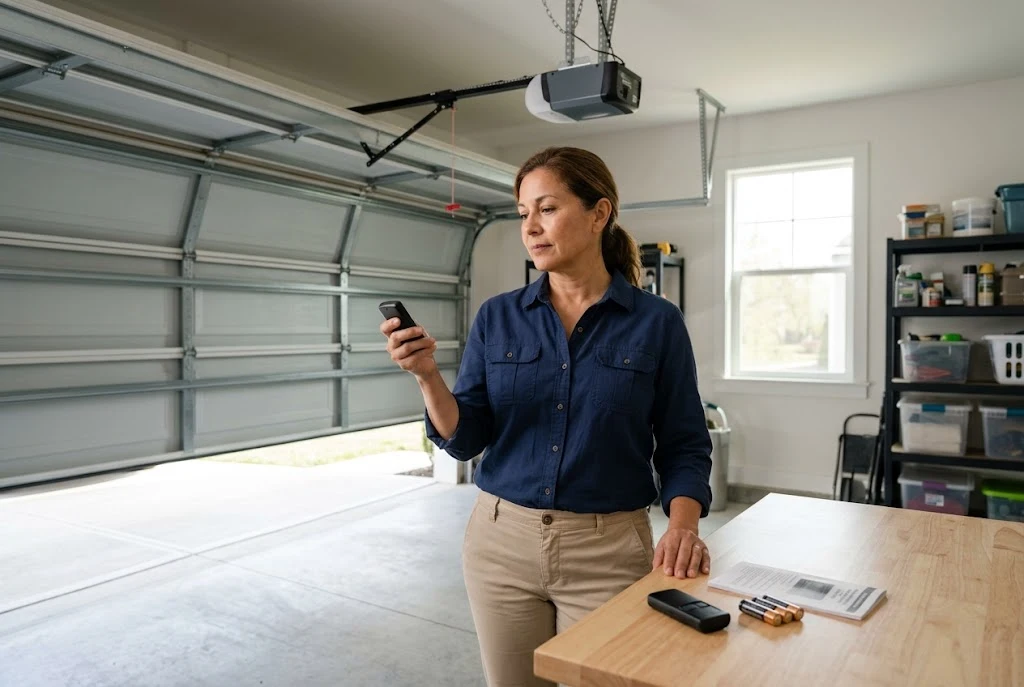
A Chamberlain garage door remote replacement can restore convenient access when your original transmitter is lost, damaged, or no longer responds to your opener. However, choosing the right replacement involves more than matching the brand name. You need to confirm compatibility, understand the programming procedure, and check whether the problem actually comes from the remote rather than the garage door opener.
Whether you need a Chamberlain replacement remote for everyday residential use or a spare transmitter for another family member, this guide explains how to identify a compatible device, program it safely, troubleshoot common problems, and decide when professional assistance may be necessary.
When Do You Need a Chamberlain Garage Door Remote Replacement?
Garage door remotes can stop working for several reasons. Before purchasing a new transmitter, identify the symptoms and determine whether replacement is necessary.
Lost or Stolen Remote
If your Chamberlain remote has been lost or stolen, replacing it may be necessary to maintain convenient access. However, security should be your first priority. Consult the opener’s instructions to determine how to remove stored remotes or clear existing remote access credentials where appropriate. Then program only the transmitters you want to authorize.
If the missing remote could allow someone to enter your property, do not rely solely on purchasing another device. Review the opener’s security procedures and secure any other access methods that may be affected.
Damaged Buttons or Housing
A remote that has been dropped, exposed to moisture, or subjected to repeated wear may develop faulty buttons or internal damage. If a button feels stuck or works only when pressed at an unusual angle, inspect the housing and replace the battery if necessary.
When physical damage prevents reliable operation, replacing the transmitter is often more practical than attempting an unapproved internal repair.
Remote Stops Working Completely
A dead battery can make a functioning remote appear defective. Before ordering a replacement, install the correct battery and check that it is positioned properly. If the remote still does not operate the door, compare its performance with another compatible transmitter, if available.
If both remotes fail, the opener’s power supply, receiver, or another system component may be responsible. Our guides on garage door remote troubleshooting and garage door opener problems explain additional checks you can make.
How to Choose the Right Chamberlain Replacement Remote
The most important step is confirming that the replacement remote is compatible with your particular garage door opener. Chamberlain products have been released across multiple generations, and not every remote works with every opener.
Check the Opener Model Number
Locate the identification label on the opener motor housing. Record the model number and, where available, the manufacturing date. You should also identify the original remote model if you still have it.
These details help you narrow down the compatible replacement options. If the original remote is missing, the opener’s documentation can provide valuable information about supported transmitters and receiver technology.
Verify Frequency and Security Technology
Garage door remotes communicate with openers using specific radio frequencies and security protocols. Some systems use rolling-code technology, while older equipment may rely on different configurations.
A replacement remote must support the opener’s requirements. A device that looks identical to your original transmitter may still be incompatible if its radio technology or security system differs.
Check Official Compatibility Information
Use Chamberlain’s official website to locate product information, support resources, and instructions relevant to your equipment. Match the remote model against the opener’s supported-device information rather than relying on a seller’s general statement that a product works with Chamberlain openers.
If you are considering a multi-brand transmitter, review our garage door opener remote compatibility guide and universal garage door remote compatibility guide before purchasing.
Where to Buy a Chamberlain Garage Opener Remote Replacement
You can look for a compatible Chamberlain garage opener remote replacement through the manufacturer’s official sales channels, authorized retailers, or reputable garage door suppliers. Online marketplaces may also offer original and compatible replacement devices, but product descriptions require careful checking.
Before completing your purchase, review the following details:
- Exact model compatibility: Confirm that the remote supports your opener model and security technology.
- Product authenticity: Check the seller’s reputation and whether the product is described as genuine or third-party compatible.
- Included accessories: Confirm whether batteries, clips, or other accessories are included.
- Return policy: Choose a seller with a clear return process in case the device is incompatible.
- Programming instructions: Make sure you can obtain the correct manual for the replacement model.
Do not purchase a remote solely because its listing mentions Chamberlain or LiftMaster. Although some devices from these brands are compatible with selected openers from both product families, compatibility must be confirmed for the exact models involved.
How to Program a Chamberlain Garage Door Remote Replacement
Once you have confirmed compatibility, the next step is programming the new remote. The precise procedure depends on the opener and transmitter model, so use the manufacturer’s instructions whenever possible.
Step 1: Prepare the Remote
Install the recommended battery if one is not already fitted. Check the battery orientation and ensure that the battery compartment closes securely. Keep the remote and opener model numbers available while following the instructions.
Step 2: Locate the Learn Button
Many Chamberlain openers use a learn button on the motor unit to register compatible remotes. Its location and appearance vary by model. Consult the opener manual to identify the correct control and understand how programming mode works.
Do not press unfamiliar controls or attempt a factory reset simply to find the programming function. Some procedures can erase existing access settings.
Step 3: Follow the Model-Specific Instructions
Activate the opener’s programming mode and press the designated remote button according to the instructions for your equipment. Follow any timing requirements and look for the indicator light or other confirmation described in the manual.
For additional guidance on remote programming, consult our guide to programming a garage door remote and our article about the learn button on a garage door opener.
Step 4: Test the New Remote
Move to a safe position where you can see the garage door clearly. Ensure that people, pets, and vehicles are outside the door’s travel path, then test the remote according to the manufacturer’s safety instructions.
If the opener responds correctly, check the operation again from a normal position outside the doorway. If pairing fails, confirm the model numbers and repeat the procedure only as directed by the manual.
Chamberlain Replacement Remote vs. Universal Remote
A replacement remote designed specifically for your opener may offer a straightforward option when you want to restore the functionality of an existing system. A universal remote, by comparison, may support selected openers from multiple manufacturers.
Neither option is automatically better for every household. Your decision should depend on compatibility, programming requirements, convenience, and the availability of reliable product documentation.
When a Chamberlain-Specific Remote Makes Sense
A Chamberlain-specific transmitter is worth considering when the manufacturer identifies it as compatible with your opener. It can simplify product selection because you can focus on the supported models rather than evaluating a wider range of brands.
Nevertheless, always verify the exact model requirements. The Chamberlain name alone does not guarantee that every transmitter will operate every Chamberlain opener.
When to Consider a Universal Remote
A universal remote may be useful when you have an older opener, need a transmitter for more than one supported system, or cannot easily find the original model. However, universal compatibility has limits, and some openers require specific security technology or receiver configurations.
Review our universal garage door remote guide and guide to universal garage door remotes to understand what to check before choosing this option.
Common Problems After Replacing a Chamberlain Remote
The New Remote Will Not Pair
Check whether the remote is listed as compatible with the opener. Verify the battery, locate the correct learn button, and follow the required programming sequence. If the opener uses a separate receiver, its specifications may determine which transmitters are supported.
If the new remote remains unresponsive, avoid repeatedly resetting the opener. Consult the appropriate manual or contact a qualified technician for assistance.
The Remote Works Only Occasionally
Intermittent operation may indicate a weak battery, radio interference, worn buttons, or a receiver problem. Replace the battery with the correct type and test the remote again. If the problem continues, compare its performance with another compatible transmitter.
The Remote Works but the Door Does Not Move
A remote can transmit a signal successfully while the opener or door mechanism has a separate problem. Check the opener’s status indicators and consult its manual. If the wall control and remote both fail, the issue may not be the transmitter.
For additional help, review our guides on a garage door that will not open and a garage door that will not close. If the door is off track, unusually heavy, or visibly damaged, stop operating it and arrange professional service.
How to Maintain Your New Chamberlain Remote
Once the replacement remote is working, a few simple habits can help keep it reliable. Avoid dropping it, protect it from moisture, and use the battery type recommended by the manufacturer. Store spare transmitters securely and keep their model information available for future reference.
It is also worth maintaining the opener itself. Follow an appropriate garage door maintenance routine, inspect the door for visible damage, and ensure that its safety features operate according to the manufacturer’s instructions.
Never attempt to compensate for a mechanical fault by repeatedly operating the remote. Damaged springs, cables, tracks, and other components require appropriate inspection and repair. These parts can create serious safety hazards if handled incorrectly.
Frequently Asked Questions
Can I replace my Chamberlain remote without replacing the opener?
Yes, provided you select a remote compatible with your existing opener and follow the correct programming instructions. A new opener is generally unnecessary when the only problem is a defective or lost transmitter.
Will a LiftMaster remote work with my Chamberlain opener?
Some LiftMaster remotes work with selected Chamberlain openers, but the brands are not universally interchangeable. Confirm the exact transmitter and opener models before buying a replacement.
Do I need a technician to program a Chamberlain replacement remote?
Many residential remotes can be programmed by following the manufacturer’s instructions. Professional assistance may be appropriate when the model is unclear, the receiver is inaccessible, compatibility is uncertain, or the opener has an underlying fault.
Why does my replacement remote work only near the garage door?
A weak battery, interference, a damaged antenna, or a receiver issue may reduce operating range. Start with the battery and consult the opener manual if the problem persists. Do not modify the antenna without manufacturer-approved guidance.
What should I do with a lost Chamberlain remote?
Review the opener’s instructions for removing stored remotes or disabling the missing transmitter. If unauthorized access is a concern, secure the system before programming replacement devices.
Final Thoughts
Choosing a Chamberlain garage door remote replacement starts with identifying your opener and confirming the exact compatibility requirements. Check the battery and other simple causes before replacing a transmitter, then use the correct instructions to pair the new device safely.
Whether you choose a Chamberlain replacement remote or a compatible universal model, prioritize reliable documentation, verified compatibility, and secure access management. If the new remote does not work after the recommended checks, investigate the receiver or opener rather than assuming that another replacement will solve the problem.
