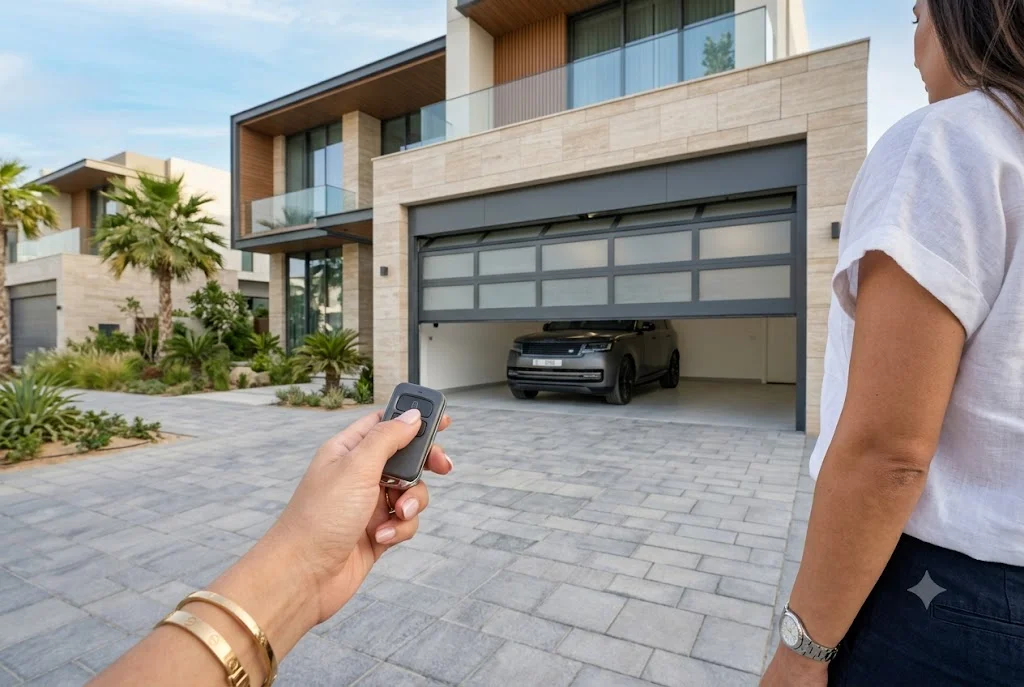
An electric garage door remote provides a simple and secure way to operate your garage door without manually opening or closing it. Whether you’re replacing an old remote, adding one for another family member, or upgrading your garage access system, choosing the right remote improves convenience, security, and everyday usability. Modern garage door systems are designed to work with advanced wireless technology, offering reliable performance and enhanced protection against unauthorized access.
Understanding how electric garage door remotes work, how to select a compatible model, and how to keep them functioning properly can help you avoid common issues while extending the life of your garage door system.
What Is an Electric Garage Door Remote?
An electric garage door remote is a handheld wireless transmitter that communicates with an automatic garage door opener. By pressing a button, the remote sends an encrypted signal to the garage door motor, which activates the opening or closing mechanism.
Most modern systems use rolling-code technology that generates a unique security code every time the remote is used, making unauthorized duplication much more difficult.
Benefits of an Electric Garage Door Remote
Using an electric garage door remote offers several practical advantages.
- Quick access without leaving your vehicle.
- Improved security with encrypted wireless signals.
- Convenient operation during rain or extreme heat.
- Smooth integration with automatic garage systems.
- Support for multiple family members.
- Reduced wear compared to manual operation.
How an Automatic Garage Door Remote Works
An automatic garage door remote sends a radio-frequency signal to the receiver installed inside the garage door opener. If the transmitted code matches the stored authorization, the opener activates the motor and safely opens or closes the garage door.
This process usually takes less than a second and allows homeowners to operate the door from a comfortable distance.
Choosing the Right Electric Garage Door Remote
Not every remote works with every garage door opener. Before purchasing a replacement, consider the following factors.
Compatibility
Always verify the manufacturer, model number, operating frequency, and coding technology used by your existing opener.
Number of Buttons
Single-button remotes operate one garage door, while multi-button models can control multiple garage doors or automated gates.
Rolling Code Security
Modern encrypted rolling-code systems improve security by changing the access code every time the remote is used.
Build Quality
Choose a durable remote with high-quality buttons and a sturdy housing that can withstand daily use.
Programming an Electric Garage Door Remote
Most remotes can be programmed within a few minutes.
- Locate the Learn or Program button on the garage door opener.
- Press the Learn button.
- Press the selected button on the remote.
- Wait for the confirmation light or beep.
- Test the remote several times.
Programming procedures vary between manufacturers, so always follow your opener’s official instructions.
Common Problems and Their Solutions
Remote Does Not Work
- Dead battery
- Lost programming
- Receiver malfunction
- Damaged transmitter
- Electrical interference
Reduced Operating Range
A weak battery, nearby electronic devices, damaged antenna, or environmental interference can reduce signal distance.
Intermittent Response
If the garage door responds inconsistently, inspect the battery, clean the remote, and verify there are no obstacles affecting the signal.
Maintaining Your Powered Garage Opener Remote
Regular maintenance keeps a powered garage opener remote operating efficiently.
- Replace batteries before they become fully depleted.
- Keep the remote clean and dry.
- Avoid dropping or exposing it to extreme temperatures.
- Store spare remotes safely.
- Inspect buttons for wear.
When Should You Replace Your Remote?
Consider replacing your electric garage door remote if:
- Buttons stop responding consistently.
- The casing is cracked or damaged.
- The signal remains weak after changing the battery.
- Your opener has been upgraded.
- The remote repeatedly loses its programming.
Can One Remote Operate Multiple Garage Doors?
Many modern multi-channel remotes allow homeowners to control several compatible garage doors or automated gates using separate buttons. This is ideal for homes with multiple garages or properties with both gates and garage doors.
Smart Alternatives to Traditional Remotes
Today’s garage systems increasingly support smartphone integration, Wi-Fi connectivity, and voice assistant compatibility. While traditional remotes remain reliable, smart solutions provide additional convenience, activity monitoring, and remote access.
If you’re interested in keyless entry, read our guide on wireless garage door keypad systems that provide secure access without carrying a handheld remote.
Battery Care Improves Remote Performance
Many remote issues are caused by weak batteries rather than hardware failures. Replacing batteries at the right time helps maintain consistent signal strength and dependable operation. Learn more in our article on garage door remote battery replacement.
Professional Installation and Support
Although many remotes are easy to program, professional assistance is recommended if the opener receiver, control board, antenna, or electrical components require diagnosis or replacement. Proper installation ensures safe and reliable operation.
Final Thoughts
An electric garage door remote is an essential accessory for convenient, secure, and reliable garage access. By selecting a compatible remote, maintaining its battery, and following proper programming procedures, homeowners can enjoy dependable performance for years. Whether you’re replacing an older remote or upgrading your garage system, investing in a quality remote helps improve both convenience and security.
For additional information about garage door safety standards and automated access systems, visit the Door & Access Systems Manufacturers Association (DASMA), a trusted authority for residential garage door guidance.
