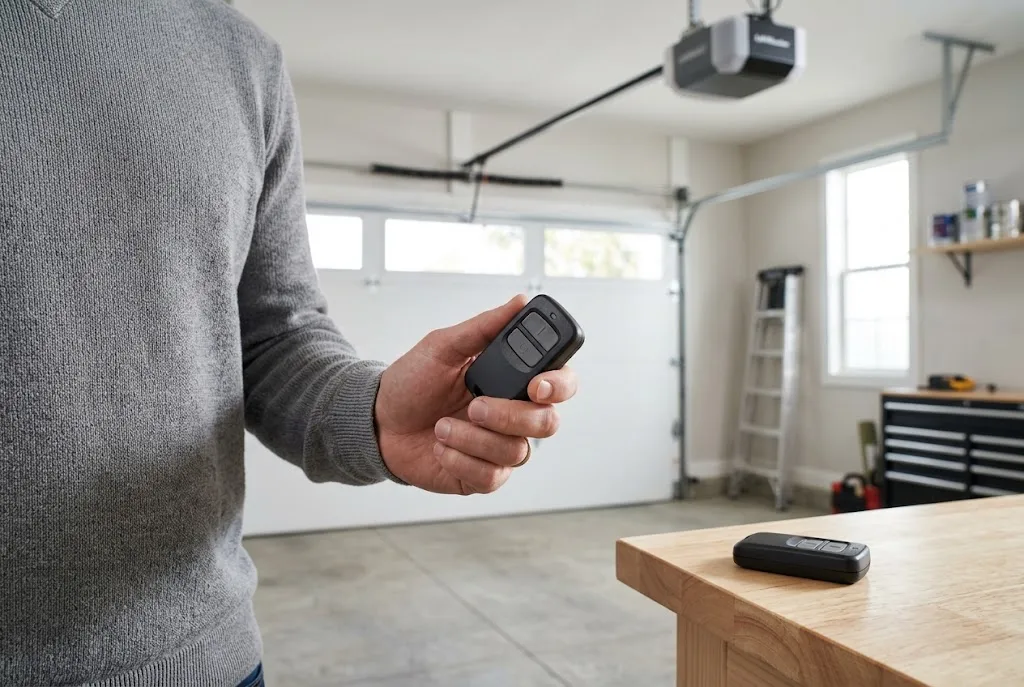
A LiftMaster remote replacement can restore convenient access when your original garage door transmitter is lost, damaged, or no longer operates the opener reliably. However, choosing the right replacement requires more than matching the brand name. You need to confirm compatibility with your opener, understand the programming procedure, and determine whether the fault comes from the remote or another part of the garage door system.
Whether you need a spare transmitter for a family member or a replacement for a remote that has stopped working, this guide explains how to identify a compatible device, program it correctly, troubleshoot common problems, and maintain secure garage access.
When Do You Need a LiftMaster Remote Replacement?
Garage door remotes experience regular use, and their batteries, buttons, and internal components can eventually wear out. Before purchasing a replacement, identify the problem and check whether a simple fix can restore normal operation.
Lost or Stolen Remote
If your LiftMaster remote is lost or stolen, replacing it may be necessary to restore convenient access. However, you should also consider security. Someone who finds a lost remote may be able to access your garage if the device remains programmed to your opener.
Consult the opener’s manual for instructions on removing stored remotes or clearing remote access settings where supported. Afterward, program the replacement and any other authorized transmitters according to the manufacturer’s procedure.
Damaged or Unresponsive Buttons
Repeated use, accidental drops, and moisture exposure can damage a transmitter. If a button sticks, feels unusually loose, or works only occasionally, inspect the remote for visible damage and check its battery.
If the device remains unreliable after these basic checks, replacing it may be more practical than attempting an internal repair.
Remote Stops Working Suddenly
A remote that stops working does not always need replacement. A depleted battery, incorrect battery installation, lost programming, or radio interference can cause similar symptoms.
Try the manufacturer’s recommended battery replacement procedure first. If the remote still fails, test another compatible transmitter if one is available. Our guides on garage door remote troubleshooting and LiftMaster remote problems provide additional troubleshooting information.
How to Choose the Right LiftMaster Remote Replacement
The most important step is confirming that the replacement transmitter supports your specific garage door opener. LiftMaster products span multiple generations, and not every remote is compatible with every opener.
Identify Your Garage Door Opener Model
Locate the identification label on the opener motor housing. Record the model number and any other relevant information, including the manufacturing date when available. If you still have the original remote, record its model number as well.
These details can help you identify the correct replacement. If the original transmitter is missing, the opener’s model information and documentation become especially important.
Check Radio Frequency and Security Technology
Garage door remotes communicate with compatible receivers using specific radio frequencies and security protocols. Some LiftMaster systems use rolling-code technology, while older equipment may use different configurations.
A replacement must support the opener’s requirements. Two remotes can look nearly identical but use different technologies, making them incompatible with the same receiver.
Before buying, consult the manufacturer’s compatibility information rather than relying solely on the product’s appearance or a general claim that it works with LiftMaster openers.
Use Official LiftMaster Product Information
The official LiftMaster website is a useful starting point for locating product details, support information, and documentation. Compare the specifications of the replacement remote with the requirements of your installed opener.
If you are unsure which device to choose, a qualified garage door technician or authorized product supplier can help identify a compatible transmitter.
Where to Buy a LiftMaster Replacement Remote
You can look for a LiftMaster replacement remote through official manufacturer sales channels, authorized dealers, reputable garage door suppliers, and established online retailers.
Before completing your purchase, review the following details:
- Compatibility: Confirm that the remote supports your exact opener model or an explicitly compatible receiver.
- Product authenticity: Check whether the item is genuine LiftMaster equipment or a third-party compatible device.
- Programming requirements: Verify that the transmitter can be programmed using the procedure supported by your opener.
- Included accessories: Check whether the battery, visor clip, or other accessories are included.
- Return policy: Choose a seller with clear return conditions in case the remote is incompatible.
A lower price does not necessarily make a remote a better purchase. An incompatible transmitter can create additional expense and delay. Verify the technical specifications before ordering.
How to Program a LiftMaster Remote Replacement
Once you have confirmed compatibility, the next step is programming the new transmitter. The exact procedure varies according to the opener and remote model, so use the instructions supplied by the manufacturer whenever possible.
Step 1: Prepare the Remote
Install the correct battery if it is not already fitted. Check its orientation and make sure the battery compartment closes properly. Keep the opener and remote model numbers available while following the programming instructions.
Step 2: Locate the Learn Button
Many LiftMaster garage door openers use a learn button to register compatible remotes. The button’s location, appearance, and programming behavior can vary by model.
Consult the opener manual to identify the correct button and understand how programming mode works. Avoid pressing unfamiliar controls or initiating a factory reset without checking the instructions, as certain procedures can erase existing remote settings.
Step 3: Follow the Correct Programming Procedure
Activate programming mode and press the designated transmitter button as directed by the manufacturer. Follow any timing requirements and look for the indicator light or other confirmation described in the manual.
For further assistance, read our guide on how to program a garage door remote and our explanation of the learn button on a garage door opener.
Step 4: Test the Replacement Remote
Stand where you can clearly see the garage door and ensure that people, pets, and vehicles are outside its travel path. Test the remote according to the manufacturer’s safety instructions.
If the opener responds correctly, confirm that the door operates normally. If pairing fails, verify the model numbers, battery condition, and programming sequence before attempting further troubleshooting.
LiftMaster Remote Replacement vs. Universal Garage Door Remote
A LiftMaster-specific remote may be a convenient option when you want a transmitter approved for your existing opener. A universal remote, by comparison, may support selected openers from multiple manufacturers.
The right choice depends on your equipment, compatibility requirements, and intended use.
When a LiftMaster-Specific Remote Makes Sense
A LiftMaster-specific replacement is worth considering when the manufacturer identifies it as compatible with your opener. It allows you to narrow your options to the supported transmitter models rather than comparing a wider selection of third-party devices.
However, the brand name alone does not guarantee compatibility. Always confirm the exact opener and transmitter specifications.
When to Consider a Universal Remote
A universal remote may be useful when your household has different supported opener brands or when the original transmitter is difficult to find. Nevertheless, universal remotes have compatibility limits and may not support every security protocol or receiver configuration.
Review our universal garage door remote guide, universal remote compatibility guide, and guide to universal garage door remotes before choosing this alternative.
Common Problems After LiftMaster Remote Replacement
The New Remote Will Not Pair
If the replacement remote does not pair, first confirm that the model is supported by your opener. Check the battery and follow the correct learn-button procedure.
If the opener uses a separate receiver, its specifications may determine which transmitters can be registered. Consult the documentation or contact a qualified technician if compatibility remains uncertain.
The Remote Works Only at a Short Distance
Reduced operating range may result from a weak battery, radio interference, a damaged antenna, or a receiver issue. Start by replacing the battery with the correct type and test the remote again.
If the problem persists, arrange an inspection of the receiver and antenna installation. Avoid modifying the antenna or adding unapproved signal equipment.
The Remote Works Intermittently
Intermittent operation can indicate a weak battery, worn buttons, interference, or a problem with the receiver. Check whether the issue occurs from different positions and compare the remote with another compatible transmitter if available.
If several remotes show the same symptoms, investigate the opener or receiver rather than purchasing multiple replacement devices.
The Remote Works but the Garage Door Does Not Move
A functioning transmitter does not guarantee that the opener or door mechanism is working correctly. If the wall control and remote both fail, the issue may involve the opener’s power supply, controls, or mechanical components.
Review our guides on garage door opener problems, a garage door that will not open, and a garage door that will not close to understand other possible causes.
How to Secure Your Garage After Replacing a Remote
Replacing a lost or stolen transmitter is also an opportunity to review your garage’s access security. Follow the opener manufacturer’s instructions for removing unauthorized remotes and managing stored devices.
Keep replacement transmitters in a secure location, avoid sharing them unnecessarily, and review access permissions when household or business requirements change.
If you use a keypad alongside your LiftMaster remote, ensure that the access code is managed appropriately. Our guides to the garage door keypad and changing a garage door remote code explain related access-control considerations.
For broader protection, follow the recommendations in our garage door security guide. Remote security should form part of an overall approach that includes maintaining the door, opener, and other access points.
LiftMaster Remote Maintenance Tips
Once the replacement remote is working, a few simple habits can help keep it reliable. Protect the transmitter from moisture, avoid dropping it, and use the battery type specified by the manufacturer.
Inspect the buttons and housing occasionally. If a remote becomes damaged or starts responding inconsistently, investigate the cause before relying on it for daily access.
It is also important to maintain the opener and garage door. Follow an appropriate garage door maintenance routine and arrange professional service if the door moves unevenly, makes unusual noises, or shows visible mechanical damage.
Never attempt to compensate for a broken spring, damaged cable, or off-track door by repeatedly operating the remote. These conditions can create serious safety risks and require qualified attention.
Frequently Asked Questions
Can I replace my LiftMaster remote without replacing the opener?
Yes. If the opener is functioning correctly, you can usually replace a lost or defective remote with a compatible transmitter. Confirm the model requirements and follow the correct programming procedure.
Will any LiftMaster remote work with my opener?
No. Compatibility depends on the opener model, radio technology, security protocol, and receiver configuration. Check the manufacturer’s compatibility information before purchasing.
Can I use a universal remote with a LiftMaster opener?
Yes, if the universal remote explicitly supports your particular opener and its security technology. Verify compatibility rather than assuming that every universal transmitter will work.
Why does my LiftMaster remote work only near the garage door?
A weak battery, interference, antenna damage, or receiver problems may reduce operating range. Start with the battery and consult the opener manual if the issue continues.
Do I need a technician to program a LiftMaster replacement remote?
Many residential remotes can be programmed by following the manufacturer’s instructions. Professional help may be appropriate when the model is unclear, compatibility is uncertain, or the receiver or opener has an underlying fault.
What should I do if my LiftMaster remote is lost?
Review the opener’s instructions for removing stored remotes or disabling unauthorized devices. If the missing transmitter creates a security concern, address access permissions before relying on the replacement.
Final Thoughts
A successful LiftMaster remote replacement starts with identifying your opener and confirming the correct transmitter compatibility. Check the battery and other simple causes before buying a new device, then follow the manufacturer’s programming instructions to restore access safely.
Whether you choose a genuine LiftMaster transmitter or a verified compatible alternative, prioritize accurate specifications, reliable documentation, and secure access management. If the replacement does not work after the recommended checks, investigate the receiver or opener before assuming that another remote is necessary.
